

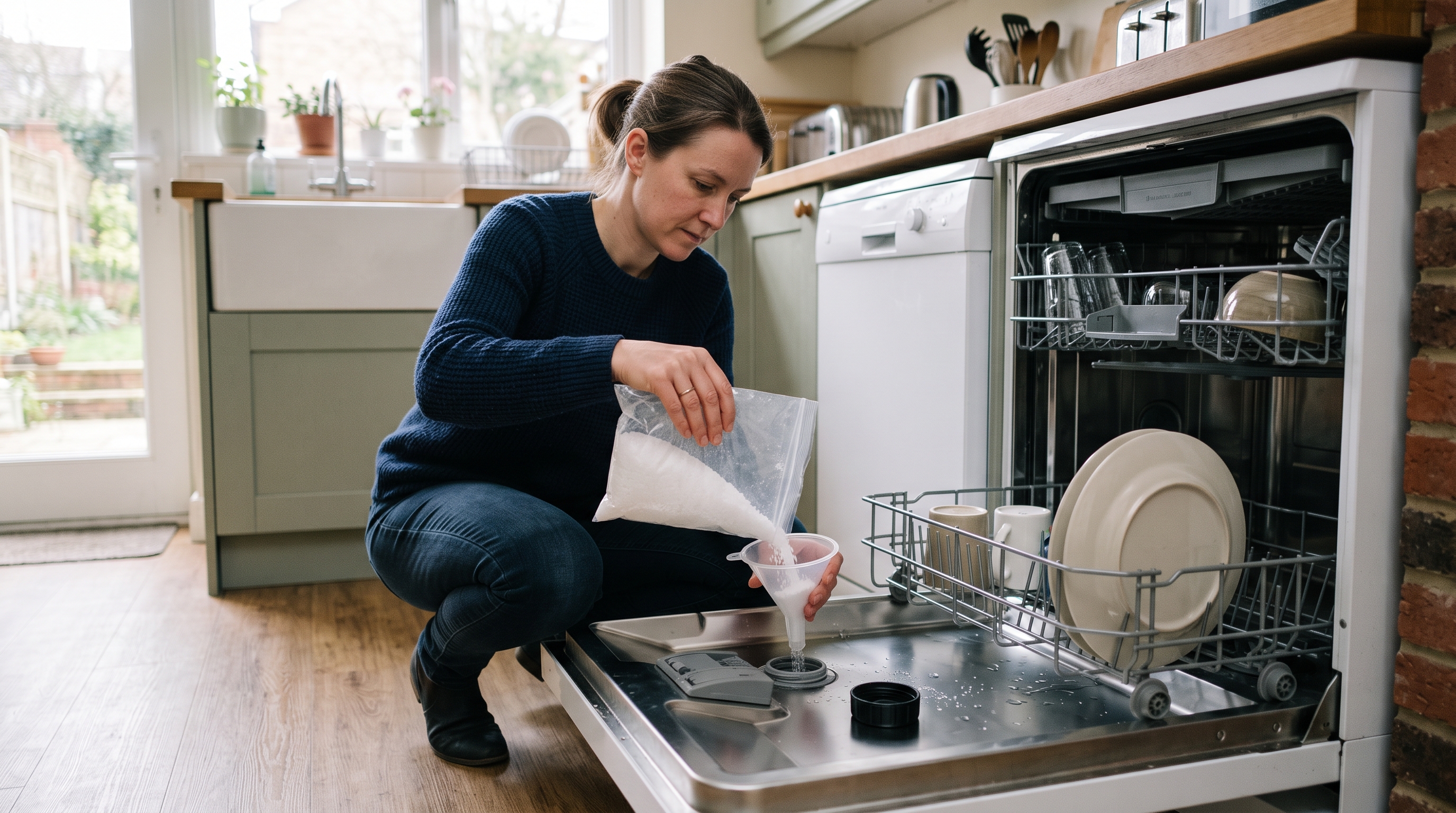
Somewhere inside your dishwasher, usually under the bottom rack, is a small water softener that quietly strips limescale out of the water before it touches your plates. It does a brilliant job, but only if you tell it how hard your water actually is. Most machines leave the factory on a middling setting and nobody ever changes it, which is a bit like buying a car and never adjusting the seat.
Get the hardness setting right and you get clearer glasses, less white film, better drying and a machine that lasts longer. Get it wrong and you either fight limescale forever or burn through salt for no reason. The good news: it takes about ten minutes, and you normally only have to do it once.
Quick fix: Put your full postcode into your water supplier's hardness checker, note the number and its unit, convert it to the unit your dishwasher manual uses, then enter the matching level in the settings menu. Fill the salt reservoir if your setting needs it, and you are done.
Why the hardness setting matters
Hard water is full of dissolved calcium and magnesium. Heat it up in a dishwasher and those minerals come out as limescale on your glasses, cutlery, heating element and spray arms. The built-in softener swaps those minerals out using a resin, and the dishwasher salt you pour in is what regenerates that resin so it keeps working.
The hardness setting tells the machine how often to regenerate, and therefore how much salt and water to use:
- Set too low for your area and the softener cannot keep up. You get white film, chalky spots, cloudy glasses that wipe clean, and limescale slowly building up inside the machine.
- Set too high for your area and the machine regenerates more than it needs to. You go through salt faster, use a little more water, and in already soft water you can end up with over-softened water, which is harder on glassware over time.
- Set correctly and detergent works properly, rinse aid can do its job, and dishes dry with fewer marks.
Step 1: Find out how hard your water is
Your water supplier is the source of truth here, not your council and not a rough map. Most UK suppliers have a postcode checker on their website. Search for your supplier's name plus "water hardness", enter your full postcode, and write down both the number and the unit it is given in.
As a very rough guide, much of London, the South East, East Anglia and parts of the Midlands have hard or very hard water, while Scotland, much of Wales, Northern Ireland and large parts of the North West and South West tend to be softer. Your street can still differ from your town, so do check.
If you would rather test it yourself, some manufacturers supply a hardness test strip in the box with the dishwasher (it often hides in the bag with the manual), and you can also buy them cheaply. Dip it in cold tap water and compare the colours with the chart.
Worth knowing: The Drinking Water Inspectorate describes water up to 100 mg/l (as calcium carbonate) as soft, 100 to 150 as slightly hard, 150 to 200 as moderately hard, 200 to 300 as hard, and anything over 300 as very hard.
Step 2: Convert it to the unit your dishwasher uses
This is where most people give up, because water companies and dishwasher manuals rarely speak the same language. You may see any of these:
- mg/l or ppm as calcium carbonate (CaCO₃): the most common UK supplier unit. Treat mg/l and ppm as the same thing here.
- °Clark (English degrees): divide mg/l by 14.3.
- °dH (German degrees): divide mg/l by 17.8. Many European-built dishwashers use this.
- °fH (French degrees): divide mg/l by 10.
- mmol/l: divide mg/l by 100.
So if your supplier says 273 mg/l, that works out at roughly 19 °Clark, about 15 °dH, about 27 °fH or 2.7 mmol/l. Same water, four different numbers. Once you have the figure in the right unit, find the matching row in the hardness table in your dishwasher manual.
Top tip: Lost the manual? Search the manufacturer's website for your model number (it is printed on a sticker on the edge of the door or inside the door frame). Nearly every brand offers a free PDF download, and the water hardness table is usually in the "water softener" or "first use" section.
Step 3: Enter the setting on your dishwasher
- Turn the machine on with the door open and no programme running.
- Open the settings menu, often by holding one particular button (sometimes labelled Setup, or a programme or option button) for around three seconds.
- Step through the menu until the display shows the water hardness setting. It might appear as a code such as H04, a number from 1 to 5, or a row of lights.
- Press the relevant button to change the value to the level from your manual's table.
- Save and exit, usually by holding the same button again for a few seconds or switching the machine off.
For example, Bosch uses codes running from H00 to H07 and explains its own conversion table on its UK website, while some Hotpoint models use levels 1 to 5 with level 3 as the factory default. If your display does not seem to match any of this, it is the manual, not you.
Step 4: Sort out the salt
On most machines, any setting above the lowest level needs dishwasher salt in the reservoir, which is the screw cap in the base of the tub. A few points that save grief:
- Use proper dishwasher salt only. Table salt and cooking salt contain additives that can clog the softener.
- The first fill needs water too. On a brand-new machine, the manual will usually tell you to add about a litre of water before the salt. After that, the reservoir stays full of water by itself.
- Run a cycle straight after refilling. Any spilled salt sitting in the tub can be corrosive, so a rinse or a normal wash clears it out.
- "Salt" in all-in-one tablets is not a substitute in hard water areas. The small amount in a tablet cannot regenerate the softener properly. Fill the reservoir anyway.
On some machines, the very lowest setting switches the softener off entirely, so salt is not needed and the salt warning light may go quiet. That is only sensible if your water is genuinely soft.
Signs your setting is still wrong
- White film or spots that rub or rinse off with a bit of vinegar: probably limescale. Nudge the setting up one level and check your salt.
- Salt running out far quicker than you expected: the setting may be higher than your water needs. Recheck the supplier figure and the conversion.
- A salty taste or salty residue: usually a loose salt cap or spilled salt rather than the setting itself. Check that the cap is screwed on firmly and the seal is clean.
- Glasses that look cloudy and stay cloudy even after a soak in vinegar: that can be etching, which is permanent wear to the glass surface. It is more likely with very soft or over-softened water, so if you live in a soft water area, check that you have not set the machine too high.
Watch out: Changing the setting will not instantly remove limescale that has already built up. If the inside of the machine is crusty, run a dishwasher cleaner or descaler through an empty hot cycle once you have the setting right, then let the softener keep it clean from there.
When to check it again
- move house, even locally, as supply areas do not follow postcodes neatly;
- fit a whole-house water softener, which may mean you can turn the dishwasher's softener right down;
- replace your dishwasher, since a new machine starts again on its factory setting;
- notice limescale creeping back after a long spell of good results, because suppliers occasionally change where your water comes from.
The bottom line: Look up your hardness by full postcode, convert it to the unit in your manual, enter the matching level, and keep the salt topped up with proper dishwasher salt. Ten minutes now saves months of cloudy glasses, white film and blaming the tablets for something that was never their fault.